Tuesday, September 30, 2008

Brief Adorable Interlude

I had some yarn left over in colors that I would never in a million years wear, so I made a baby hat:


Tomorrow I'm sending it off to Hats for Alex. Baby hats are fun to knit. I might do another one to get rid of some orange acrylic leftovers.

Thursday, September 25, 2008

Someone talk me out of this!

Ok, so the chapter is pretty much done, and therefore I'm back. I'm still working on my secret Firefly swap project, so there's still nothing knitting-related to post. I'm doing a quick little baby hat for Hats for Alex today, just for fun, so I'll post a picture of that when it's done.

So I'm planning to put in a little KnitPicks order to reward myself for finishing the chapter. They're having a sale on books, so I think I'm going to get Selbuvotter: Biography of a Knitting Tradition, which I've been eyeing for some time. I like to knit mittens, so that seems like a safe bet. I was going to also get the warm Palette sampler so I could maybe fool around with designing some stranded mittens of my own.

But I'm seriously, seriously tempted by the Autumn Rose pullover:


The book is on sale, and although it's more than I would usually pay for a pattern, it's not completely out of the realm of possibility. And the yarn is super cheap: it's less than $25 worth of Palette. It would be my first Fair Isle and only my second real sweater (third if you count the vest). It would also be my first try at steeks. But I know I like stranded knitting, and it's so pretty. It looks like so much fun to knit.

Am I insane for even thinking about it?

Tuesday, September 9, 2008

Radio Silence

Hi, readers. I'm probably going to be missing in action for the next week or so, because I'm trying desperately to finish a stupid chapter of my stupid dissertation. Also, I'm working on my Firefly swap project in earnest now, and I can't blog about that. Sorry. I will try to have witty or erudite knit-blogging as soon as the chapter is completed.

Saturday, September 6, 2008

Stitch Marker Madness

Sadly, all of my current knitting is secret and can't be blogged about, lest the recipients find my blog and the secrets be spoiled. Sorry. I'll blog it all later. In the meantime, I have been making women's suffrage stitch markers.

"Um, what?," you say.

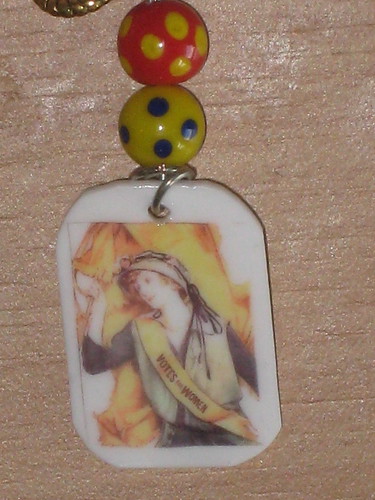
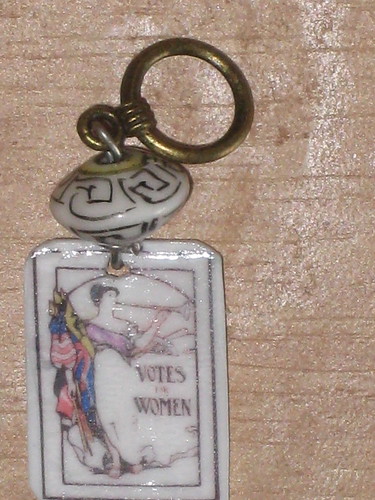
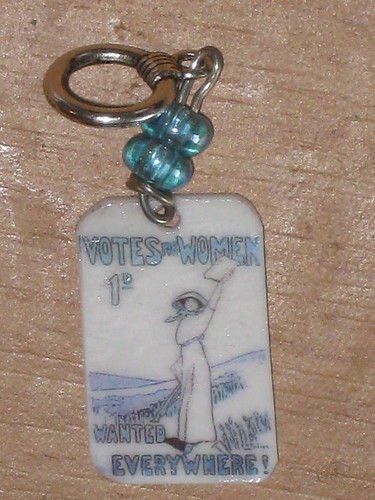
Women's suffrage stitch markers! When I am not blogging, knitting, or fooling around on Ravelry, I am writing a dissertation on early 20th century history. And it has occurred to me, while writing a dissertation on early 20th century history, that the women's suffrage movement produced quite a lot of awesome posters and postcards. I've been meaning to make Shrinky Dink Stitch Markers, and it occurred to me that I could use the same method to stitch marker charms with women's suffrage posters on them. Here are some of the results:

\

I also made some Obama stitch markers, seen here mixed in with some women's suffrage ones:


The technique here is exactly the same as for the photo stitch markers in the link above, but I thought I'd walk people through the process of finding the images, in case you want to make your own political poster stitch markers. It's worth noting that I don't own any of these images and don't know who does, so these are for personal use only.

Step 1: Find Images.

I did a google image search on phrases that I thought would be likely to yield women's suffrage posters. My first search was on the phrase "women's suffrage poster." Then I tried "votes for women."

Once you have found a good image through your google image search, click on it. This will take you to a page that has a google frame and then shows you the image in context. Here's a screen shot of an example:
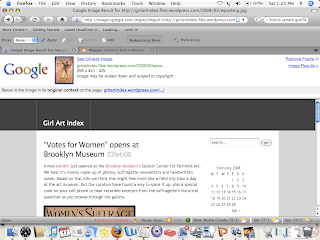

Don't pay any attention to the image in context. Instead, look at the frame. You want to click on the link that says "See full-size image":
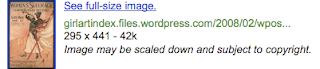

Once you click on that link, it will take you to a copy of the image, set against a plain white background:
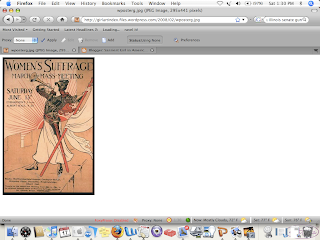

Step 2: Grab Image

Ok, what you want to do now is take a screen shot, not of the whole screen, but just of your image. I don't know how to do that on a P.C., but here is how you do it on a Mac. First, you press , shift and 4, all at the same time. (If your keyboard doesn't have an  key, try pushing alt, shift and 4, all at the same time.)

Once you have done that, your cursor should change from an arrow into a target sign. Position the target sign at the top left corner of the image you want to grab and hold down the mouse button. Continue to hold it down while you drag the target to the bottom left corner of the image. The entire image should be covered by a transparent gray box. When you have covered the image, release the button. If your volume is turned up, you should hear a sound like the sound of a camera taking a picture.

You've now saved your image. On my computer, it's saved on the desktop as Picture *, where * is a number. My last screen shot is saved as "users/myname/desktop/picture 61". Your first screenshot will presumably be saved as "users/yourname/desktop/picture 1".

Step 3: Import the Photo into your photo editing software

For my first bunch of shrinky dinks, I imported the images into iPhoto, lightened them there, and then opened them in Powerpoint, where I arranged them on a sheet in order to print them on my shrinky dink paper. This worked fine. Just go to "file" and click on "add to library". From there, select the file name of your image, and it will import it right into iPhoto. Then you can click on the "adjust" icon and adjust the brightness. You want to make your image less bright, because the colors intensify a lot in the shrinking process.

However, I realized that you can also edit your photos directly in Powerpoint. To do that, go to "insert/ picture/ from file." Click on the file name. It will insert the photo onto your powerpoint slide. Drag and click a corner to shrink it down to the size you want, and then use the formating pallate to adjust the brightness. It's somewhat counterintuitive: you have to increase the brightness number to get it to be less bright. I found that somewhere between 70 and 75% was perfect. If you can't find the formatting palatte, go to "format", click on "picture," and then click on the "picture" tab.

Here's a picture of what my Powerpoint shrinky dink slide looked:
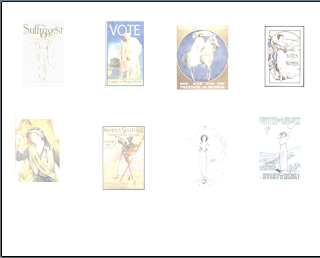

Notice that the colors look washed out: that's what you want.

And that's it. Other than that, you just follow the instructions in the Knit Powers to Peace tutorial I linked to above. You can use this to make stitch markers out of any image that you grab from the internet. I'm kicking around doing some other early-Twentieth-Century political posters. I will post them if I get around to making them.

Friday, August 29, 2008

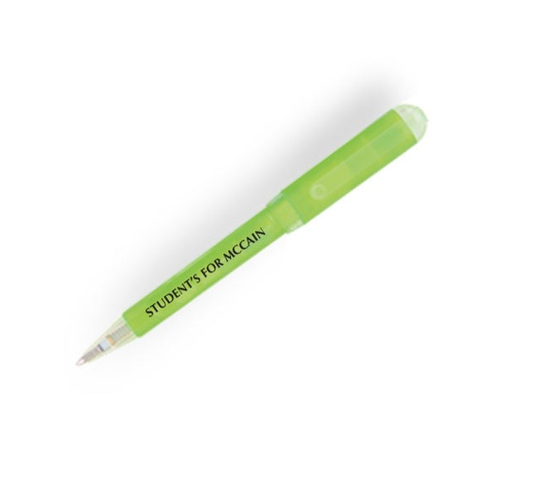
Maybe we need a No Presidential Candidate Left Behind program!


Someone on Ravelry found this awesomeness from John McCain's official store. I have taken a screen shot to preserve it for posterity!

Wednesday, August 27, 2008

The Pride of the South Side

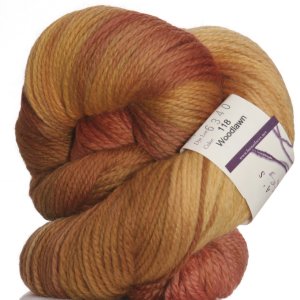
I didn't notice this until a month after they were released, but Lorna's Laces has two new colorways called Woodlawn and South Shore. Here is Woodlawn:


and here is South Shore:


Lorna's Laces is a Chicago-based company, and they have a number of colorways named after Chicago neighborhoods and streets. Until now, they've mostly been North Side streets and neighborhoods, with the exception of the colorway called "Pilsen." They've got Devon, Lakeview, Irving Park and Ravenswood, for instance, but nothing named after neighborhoods in my neck of the woods. And I feel inordinately pleased that this has changed now, even if I don't live in either South Shore or Woodlawn. I live near to South Shore and Woodlawn! Lorna's Laces appreciates neighborhoods near where I live! I am in favor of knitterly recognition of the awesomeness of the South Side.

Monday, August 25, 2008

Olympic Victory!

No, I'm not talking about Michael Phelps, although there will be swimming in this post. Well, actually there will be talk about my boobs, as per usual, but it will be swimming-related. But first I must show off my Olympic vest, which was completed just in time for the closing ceremonies of the real Olympics.


Cute, no? I have not yet been able to get a decent picture of me in it, but I will try to post one tomorrow.

Today's excitement, aside from it being my birthday, which is really more distressing than exciting at this point in my life, is that I am trying to find a swimsuit so that I can rejoin the master's swim team and become a bit less of a couch potato. This is proving to be a challenge. Last time I bought a swim suit, I went to the very fancy running/ swimming store, where a nice lady helped me pick out a swimsuit that would be appropriate for my rather ample boobage. It was, I seem to recall, a size or two smaller than what would normally be recommended, so that the tight swimsuit would hold my boobs in place. Sadly, I have since misplaced that swimsuit, and the running/ swimming store has apparently gone out of business. At any rate, I would prefer to buy a cheap swimsuit online rather than spend a veritable fortune at the fancy running store. The thing is, I can't remember which size swimsuit to buy. So being a complete fucking moron, I thought I could just google "lap," "swimming" and "big breasts," and I would get some nice tips about how to choose a fitness swimsuit for the top-heavy members of the swimming community.

Now, I have nothing against porn. Truly: I think porn is just great. But it is very annoying when you're looking for perfectly mundane, non-porny advice about fitness apparel and all you can find is links to pictures of hott sexxxy girlz with giant breasts. My giant breasts are neither hot nor sexxy, and I am not interested in giving you a lap dance at this particular moment. I just want swimsuit fitting advice. Google needs a way to filter the porn, for the benefit of those of us with non-porn boob-related questions.

I think I want something along the lines of this utterly boring Speedo, but I can't for the life of me figure out whether I want it in a 6 or an 8.